
Last checked: 3 November 2026
In short
Moodle suits teams with technical know-how who want maximum control, Canvas and Blackboard suit larger institutions, Google Classroom suits schools already on Google Workspace, TalentLMS suits small and mid-sized companies, and Docebo suits large enterprises. Which one is right depends on your users, your technical resources and your budget.
Choosing a learning management system (LMS) shapes how courses are delivered, how learners experience them, and how much work administration and scaling will take. This guide compares six well-known options: Moodle, Blackboard (formerly Anthology), Canvas, Google Classroom, TalentLMS and Docebo. Product names, ownership and pricing models change quickly, so we checked every platform against the vendors’ own pages in November 2026.
LMS comparison at a glance
| LMS | Best for | Main strength | Main limit | Pricing model |
|---|---|---|---|---|
| Moodle | Organisations with technical resources or a Moodle partner | Open source, highly customisable, plugins | Needs setup and maintenance expertise | Open source software; hosting via partners or MoodleCloud, which has a free trial |
| Blackboard (formerly Anthology) | Large higher-education institutions | Established, institution-grade LMS | Less open to customisation than Moodle; vendor recently emerged from restructuring | Contract-based, quote on request |
| Canvas | Institutions that want a modern, cloud-based LMS | Cloud-based, free mobile apps, 1,000+ integrations | Tiers are quote-based | Three tiers (Core, Plus, Next), personalised quote |
| Google Classroom | Schools and universities already using Google Workspace | Simple, tied into Google tools | Narrower feature set than a full LMS; some features still in beta | Part of Google Workspace for Education editions |
| TalentLMS | Small and mid-sized companies | Quick to start, published prices | Plans are tied to user brackets | Published monthly plans from $119; free plan for up to 5 users |
| Docebo | Mid-market and large enterprises | AI features and extended enterprise learning | Premium, quote-based pricing | Quote based on active learners; plans Elevate and Enterprise |
1. Moodle
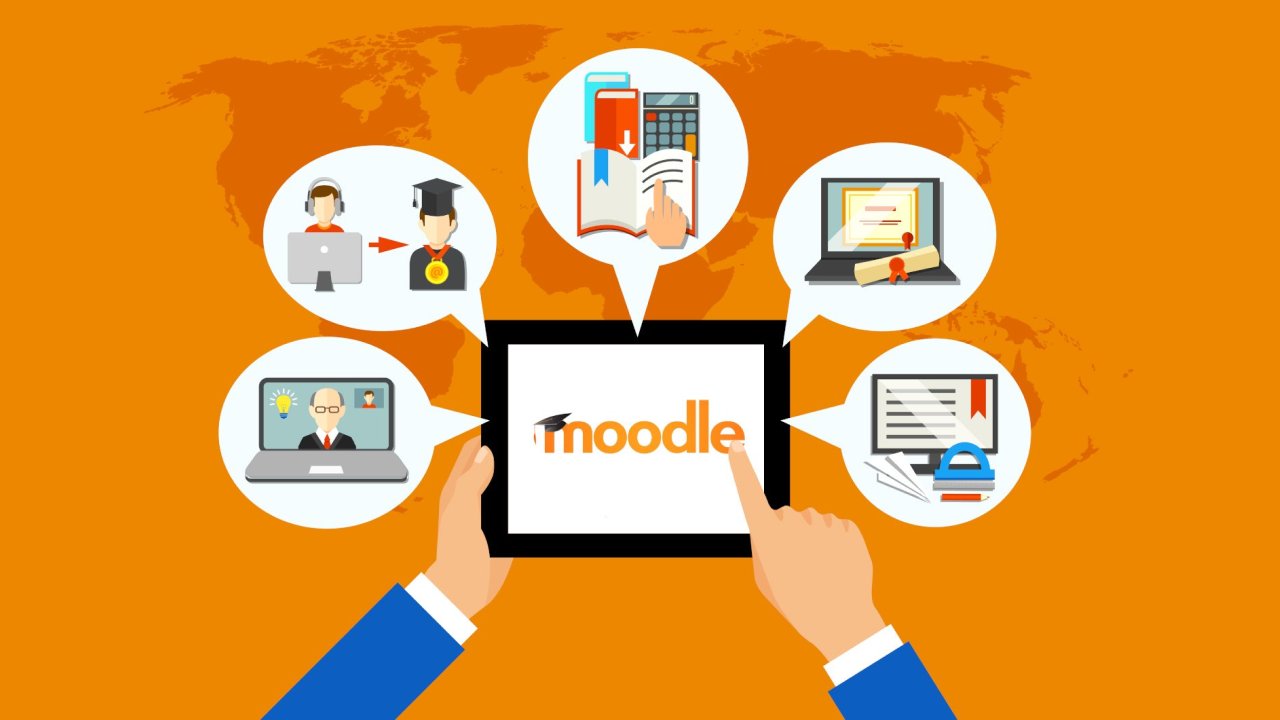
Moodle is an open source LMS. You can run it on your own server, use a hosted service from Moodle HQ or a Moodle Certified Partner, or start on MoodleCloud, which is aimed at individuals selling courses and small organisations with basic training needs. Moodle also offers Moodle Workplace for onboarding, training and compliance.
Pros
- Open source and customisable: The platform can be adapted to specific requirements, and Certified Partners offer customisation, hosting, support and training.
- Plugins and integrations: Moodle works with video conferencing, authentication, academic integrity and content tools, and extra plugins are available on self-hosted or partner-hosted installations.
- AI under admin control: Administrators decide how and where AI is used in their learning environment.
- Flexible cost structure: There is no licence fee for the software itself, which can suit smaller organisations. Hosting, setup, maintenance and support still cost money.
Cons
- Technical effort: Installation, customisation and maintenance require expertise, either in-house or from a partner.
- Complexity: The range of options can feel overwhelming to administrators and learners if the setup is not planned well.
- MoodleCloud restrictions: Plugins cannot be installed on MoodleCloud. Plugins require Moodle LMS or Moodle Workplace through a Certified Partner.
2. Blackboard (formerly Anthology)
This is the biggest naming change since many older comparisons were written. In March 2026 the company announced that Anthology’s Teaching and Learning business, now branded Blackboard, had emerged from Chapter 11 restructuring debt-free. Other parts of the former Anthology business were sold, for example the student information system and ERP business to Ellucian. The Blackboard LMS is a hosted, higher-education-focused product.
Pros
- Established in higher education: Blackboard has a long track record with universities and colleges.
- Institution-scale offering: It is designed for large institutions with many courses and users.
Cons
- Vendor transition: The rebrand and restructuring mean you should ask the vendor about product roadmap, support and contract terms before you commit.
- Cost: Pricing is not published and is quote-based, which makes it hard for small organisations to assess.
- Customisation: It is generally less open to deep customisation than an open source system such as Moodle.
- Migration work: Institutions still on older course formats may need to migrate courses to the newer experience. Check your timeline with the vendor.
3. Canvas
Canvas is made by Instructure and is described by the vendor as built in the cloud on open technology. The code is also published on GitHub under the AGPL-3.0 licence. Since 2026 it is sold in three tiers: Canvas Core, Canvas Plus and Canvas Next.
Pros
- Modern interface and mobile apps: Canvas offers free Student, Teacher and Parent apps.
- Integrations: Instructure cites more than 1,000 external tools and partners.
- AI built into the tiers: IgniteAI features are part of each tier. Core includes help with quiz authoring, discussion summaries and translations, Plus adds rubric generation and grading assistance, and Next adds an agent for admins and instructors, plus study tools for learners. Administrators can switch AI features on or off at account, sub-account or course level.
Cons
- Cost: Prices are not published. You need a personalised quote, which can be a hurdle for smaller organisations.
- Self-hosting: The open code exists, but running your own instance is a technical project that is not comparable to a ready-to-use hosted service.
Looking for help with e-learning courses? Tell us about your project through the contact form.
4. Google Classroom
Google Classroom is part of Google Workspace for Education and is available on the web and through mobile apps. Core Gemini AI tools for Classroom are presented as free, while advanced features require Education Plus or selected add-ons.
Pros
- Easy to use: Teachers can create classes, assign work and give feedback in a familiar Google environment.
- Integrations: It connects to hundreds of education apps through the Google for Education App Hub, supports Workspace LTI, and offers student information system integration and APIs.
- Grading tools: Customisable rubrics, grade export and originality reports are available.
Cons
- Narrower scope: Classroom is built around classes and assignments. Organisations that need complex certification, enterprise reporting or extended learner groups usually need a fuller LMS.
- Features in development: Google lists some features as beta and some analytics as coming soon.
- Data protection: Review the Workspace for Education terms and your own data protection requirements. Google states that it may not use customer data for advertising. Check with your data protection officer if you work with minors or in regulated sectors.
- Eligibility: Workspace for Education is limited to accredited educational institutions and qualifying nonprofits, so it is generally not an option for corporate training.
5. TalentLMS
TalentLMS is a cloud LMS aimed at companies. Unlike most vendors in this comparison, it publishes its prices. At the time of checking, the plans were Core ($119 per month), Grow ($229 per month), Pro ($449 per month plus $6 per additional user) and Enterprise (custom, starting at 1,000 users). Yearly billing saves 20%. A free plan covers up to 5 users and 10 courses.
Pros
- Transparent pricing: Most plans have a published price, and you can change or cancel at any time.
- Unlimited courses on paid plans and a library of ready-made courses as an add-on.
- AI tools: Paid plans list AI content assistance, AI test creation, course translation, video captions and an AI coach. Usage draws on monthly credits that vary by plan.
Cons
- Plans tied to user brackets and branches: The number of branches and learning paths rises with the plan, and prices rise with user numbers.
- Credit limits for AI: The credit allowance differs by plan, so heavy AI use needs planning.
6. Docebo
Docebo describes itself as an AI platform for learning and upskilling and targets mid-market and enterprise organisations. Typical use cases are employee onboarding, compliance, sales enablement, customer education and partner enablement.
Pros
- AI features: The vendor lists AI agents, an enterprise knowledge search, roleplay practice with feedback, a content creator that builds courses from prompts or documents, and an MCP connection to AI assistants.
- Extended enterprise: You can run employee, customer, partner and member programmes from one platform, with branded portals and reporting for each audience.
Cons
- Quote-based, premium pricing: Docebo does not publish prices. Cost depends on the plan (Elevate or Enterprise), on active learner usage and on add-ons.
- AI credits: Some AI functions draw on credits, either from a shared pool or per seat. Ask exactly what is included.
Conclusion
The right LMS balances three things: the needs of your learners, the technical know-how of your team, and your budget. Moodle gives you the most control if you have the expertise or a partner. Canvas and Blackboard are institution-focused platforms with quote-based pricing. Google Classroom is a light option for educational institutions on Google Workspace. TalentLMS offers published prices for small and mid-sized companies, and Docebo targets large enterprises with extended learning programmes.
Before you decide, ask two or three vendors for a demo using your own use case and for the total cost for your user numbers. If you are planning AI-supported learning content, our guide to e-learning with AI may help.
Frequently asked questions about LMS choice
Which LMS is best for a small company?
TalentLMS publishes its prices and has a free plan for up to 5 users and 10 courses, so it is easy to test. Moodle is an alternative if you have technical support or a partner.
Is Moodle really free?
The Moodle software is open source and has no licence fee. Hosting, setup, maintenance, plugins and support still cost money, whether you do the work yourself or use a partner.
Is Anthology the same as Blackboard?
Not any more. Blackboard is the name of the Teaching and Learning business, which was formerly part of Anthology. In March 2026 it announced that it had emerged from restructuring debt-free under the Blackboard brand.
Is Canvas open source?
Instructure publishes the Canvas LMS code under the AGPL-3.0 licence. Most organisations use the hosted product, which is sold in the tiers Core, Plus and Next.
Can Google Classroom replace a full LMS?
For classroom teaching in schools it can be enough. For corporate training with complex reporting, certification or external audiences, a dedicated LMS is usually a better fit.
Do these platforms offer AI features?
Yes, all of them now list some form of AI. Canvas has IgniteAI in each tier, Docebo has agents and a content creator, TalentLMS has AI content tools with monthly credits, Google Classroom has Gemini, and Moodle lets administrators control where AI is used. Scope and pricing differ, so ask each vendor what is included.
Need help with Moodle or course content?
If you would like support setting up a Moodle platform or producing e-learning content, you can get in touch with us. You can also read more about our e-learning services.
Sources
- Moodle
- Moodle LMS
- MoodleCloud
- Anthology / Blackboard
- Blackboard, Formerly Anthology, Emerges Debt-Free (Business Wire, 2 March 2026)
- Instructure Canvas
- Canvas tiers
- Canvas LMS on GitHub
- Google Classroom
- Google Workspace for Education terms
- TalentLMS pricing
- Docebo
- Docebo pricing



Planning a project?
We produce e-learning courses in Berlin. Tell us about your project through the contact form.